About Ray.so
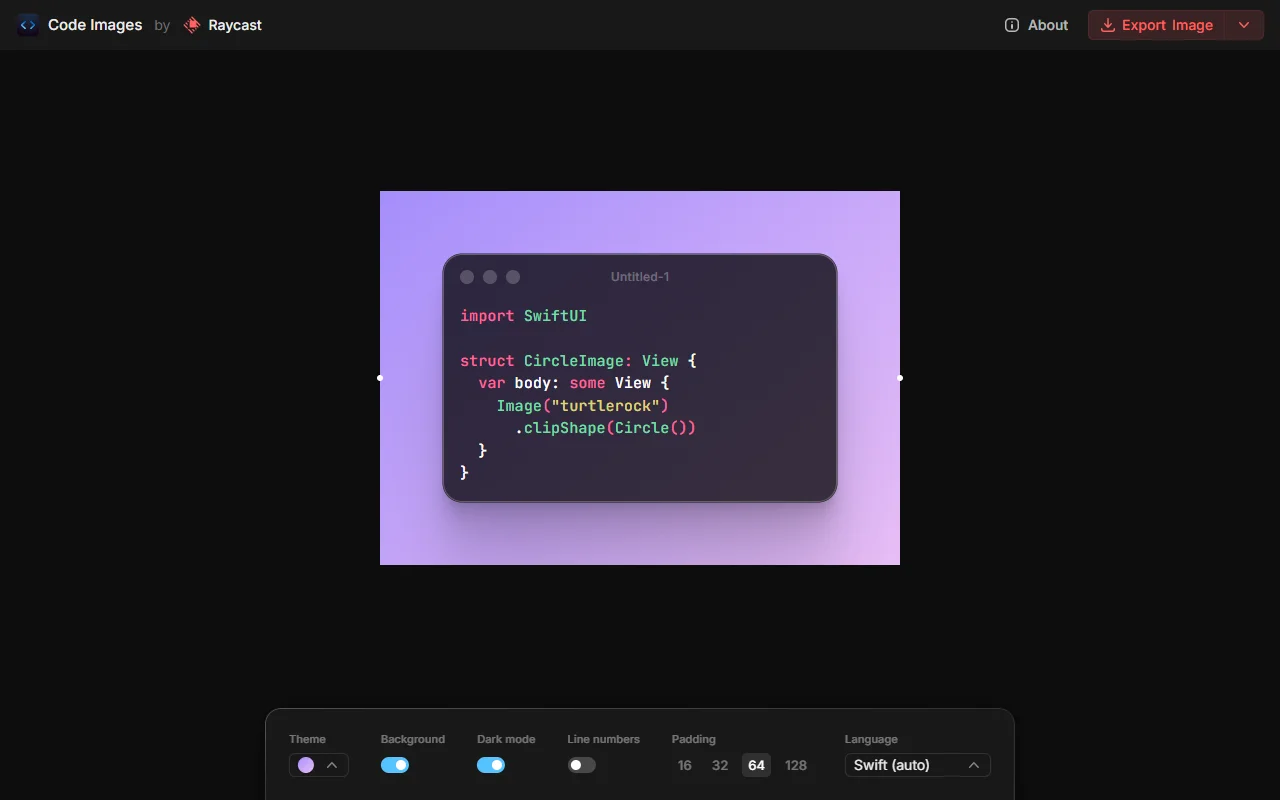
Ray.so is a web tool for making clean, good-looking images of source code. You paste or type code, pick a look, and export a picture for slides, posts or documentation.
What it does
The tool renders a code snippet inside a window-style frame. You can change the syntax colors, show or hide the background, and switch between dark and light windows. Line numbers and padding can be adjusted too. The language is detected automatically, and you can set it yourself when the detection is wrong. The result is a tidy image that looks the same across posts and pages.
Key features
- Syntax color themes
- Dark and light window modes
- Background on or off
- Line numbers and padding options
- Image export
Who it's for
The tool suits developers who write blog posts, release notes or social posts that include code. Teachers and presenters who need a neat code screenshot without opening an editor will also find it useful.
Pricing and good to know
The source code is published on GitHub under the MIT licence, so you can run your own copy. The hosted version runs in the browser. Very long snippets may need trimming before you export, because the frame grows with the code.
Highlights
- Syntax color themes for code snippets
- Dark and light window modes
- Background, line numbers and padding controls
- Automatic or manual language selection
- Export the finished code as an image