About Carbon
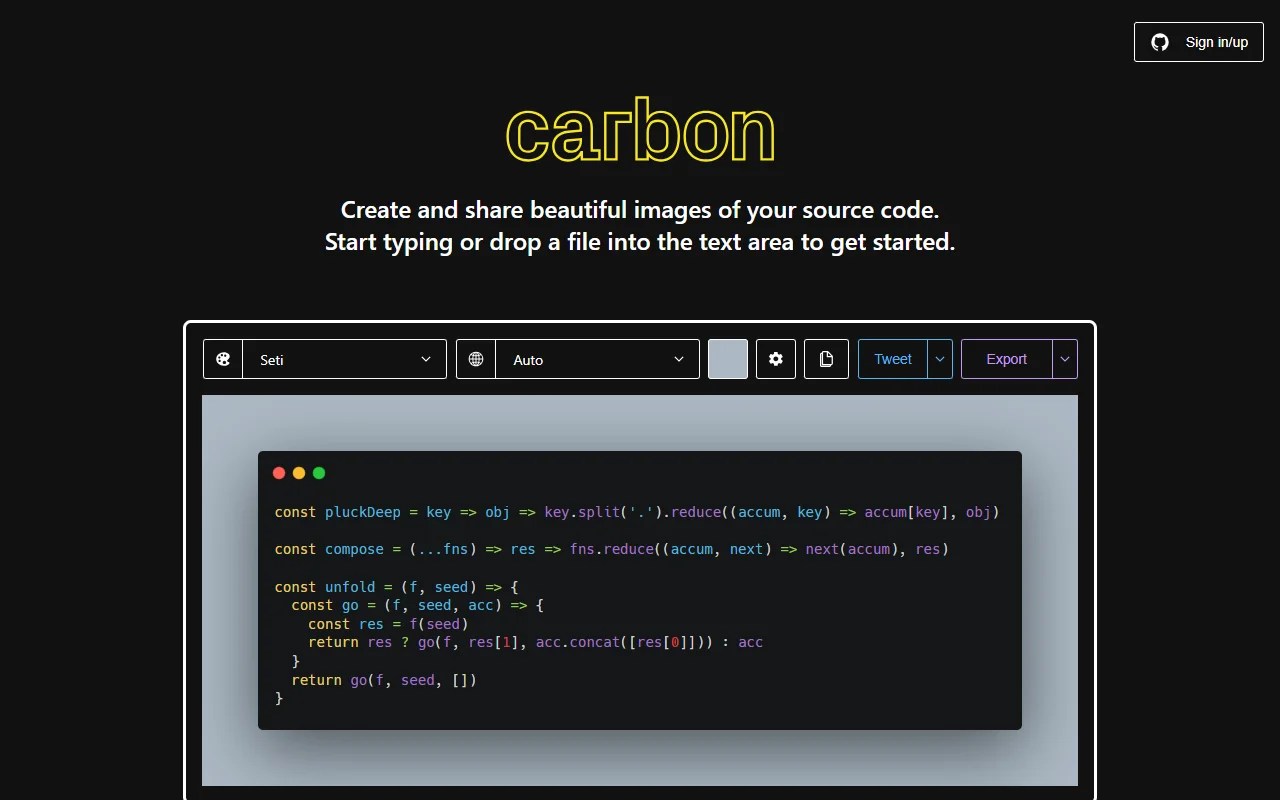
Carbon is a web app for creating polished images of source code. You type code into the editor or drop a file in, adjust the look, and export an image ready to share.
What it does
Carbon takes a code block and wraps it in a styled frame. You choose a theme, a language and a background, then export the image. There are copy and share options in the menus, so the picture can go straight into a post or a chat. The editor handles long files, and the preview updates as you change the settings.
Key features
- Type code or drop in a file
- Theme and background options
- Language selection
- Export as an image
- Copy and share menus
Who it's for
Carbon is aimed at developers who write tutorials, post code on social media or put examples in presentations. It also suits teams that want consistent code images across a series of articles.
Pricing and good to know
Carbon is open source under the MIT licence, and the code is on GitHub. The site shows advertising, so the hosted version may include ads. Because the editor runs in the browser, very large files can slow the preview down on older computers.
Highlights
- Type code or drop a file into the editor
- Choose a theme, language and background
- Export a styled image of a code block
- Copy and share options from the menus