About Typescale
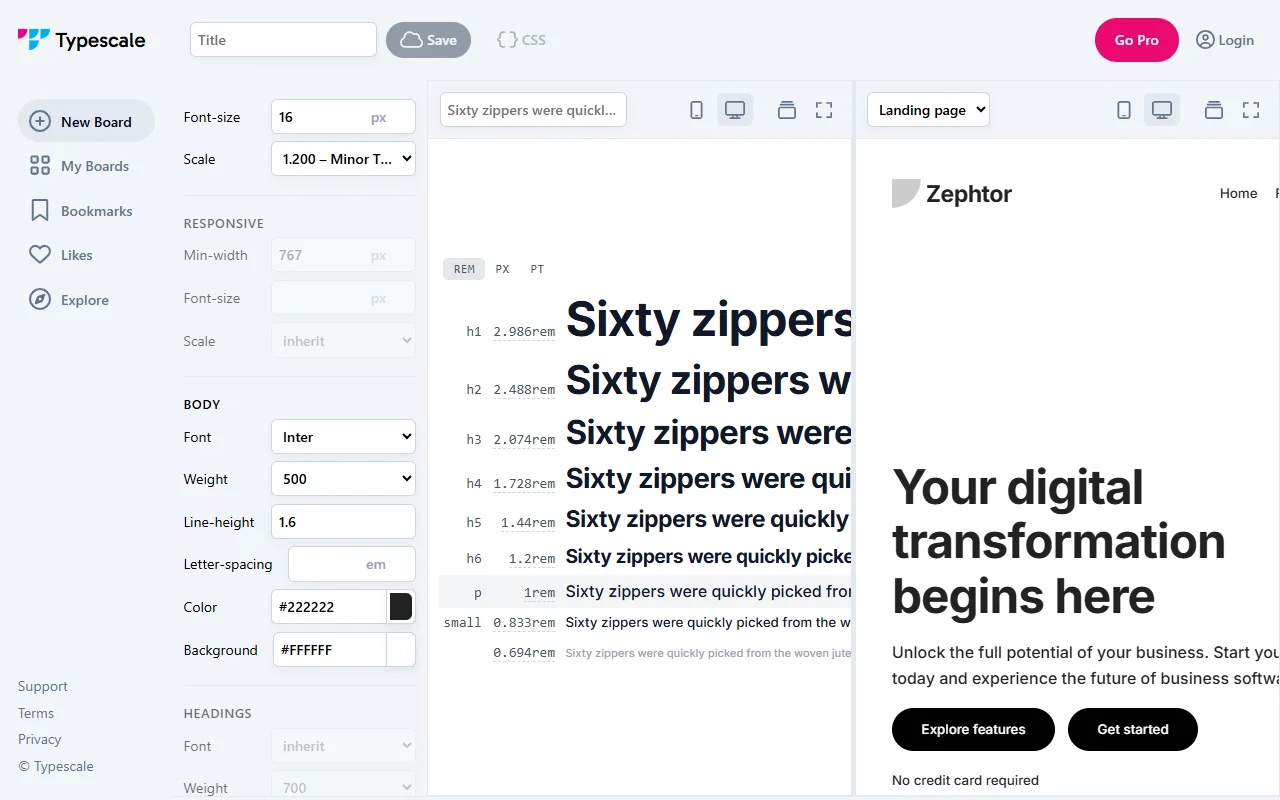
Typescale is a visual tool for building a type scale. You pick a ratio, choose a base font and see the sizes laid out, then copy the CSS for your project.
What it does
You choose a ratio from a list, such as minor third or perfect fifth, and the tool calculates a set of font sizes from it. A responsive mode lets you set sizes for different minimum widths. You can pick a font from a long list of Google Fonts, then save the result as CSS. The site also has boards for keeping and sharing your scales.
Key features
- Pick a ratio from a list of named scales
- Set responsive sizes for different widths
- Choose from a large list of Google Fonts
- Save and export the scale as CSS
Who it's for
Typescale suits web designers and front-end developers who want a clear set of font sizes for a site. It is also useful for anyone who wants to test how different ratios feel before they commit to one in a design system.
Pricing and good to know
The tool is free to use, and some ratios, such as the golden ratio, need the Pro plan. The site has log-in and board features and links to terms and privacy pages. Scales are a starting point, so check the sizes against real content and line lengths before you finalise them.
Highlights
- Pick a ratio such as minor third or perfect fifth
- Set responsive font sizes for different widths
- Choose from a long list of Google Fonts
- Save and export the scale as CSS