
About Thunder Client
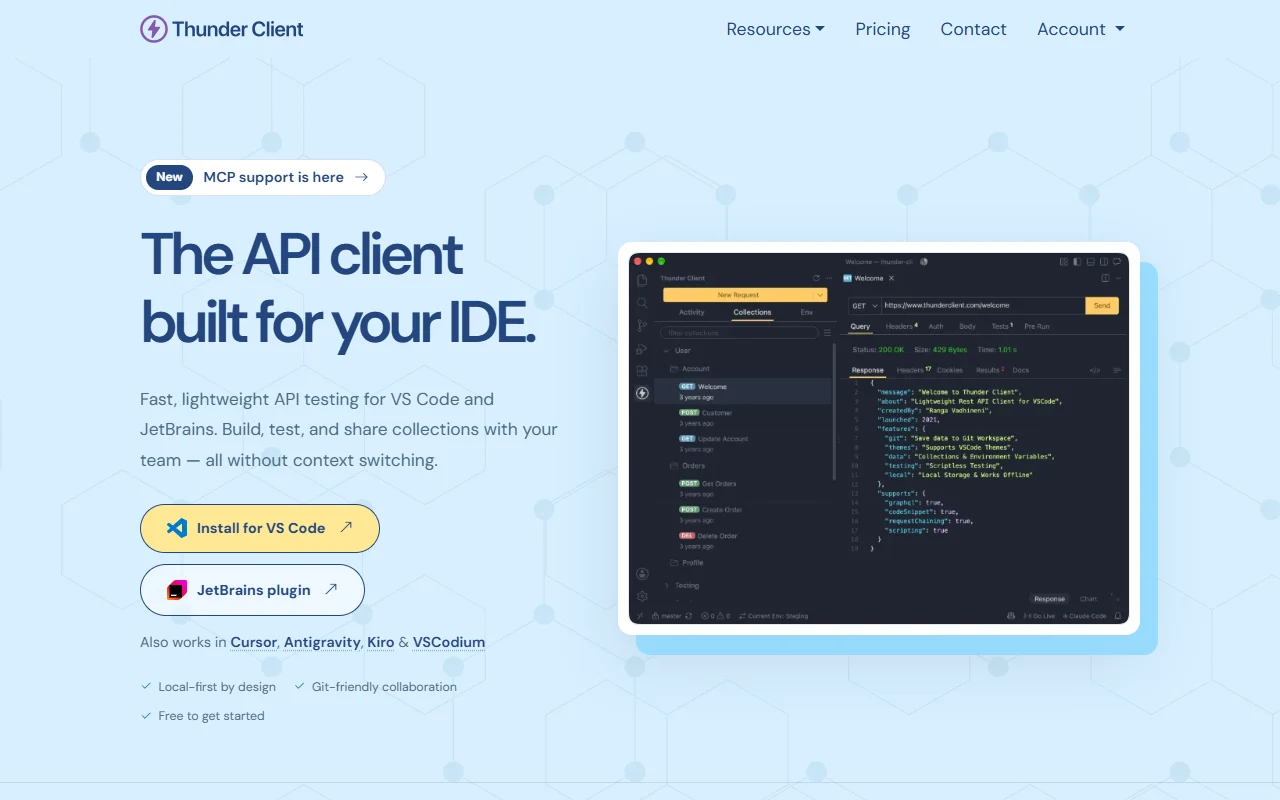
Thunder Client is an API testing tool that runs inside your code editor. It works in VS Code and JetBrains IDEs, so you can send requests without leaving your project.
What it does
Thunder Client lets you send REST and GraphQL requests from within your editor. You build each request, group related ones into collections, and read the response status, timing and body in the same window where you write code. Environment variables and auth setups can be saved so requests are easier to repeat.
Key features
- Send REST and GraphQL requests from your editor
- Save requests into collections you can share
- Keep requests and data as local files
- Sync collections to a Git repository
- Save auth setups and environment variables
- Run a collection and check the results
Who it's for
Developers who build or consume web APIs and want to test them without switching apps. It also suits teams that keep their API collections in Git, next to the code they describe.
Pricing and good to know
Thunder Client is free to get started, and the website has a pricing page for other plans. It runs in VS Code and in editors based on it, such as Cursor, and in IntelliJ-based IDEs such as WebStorm and PyCharm. Requests and data are stored on your machine by default, and they stay local until you choose to sync them.
Highlights
- Send REST and GraphQL requests from your editor
- Save requests into collections you can share
- Keep requests and data as local files
- Sync collections to a Git repository
- Run a collection and check the results